
Solo 6 router
A dual-band Wi-Fi 6 router, placed and tuned properly. Enough for a 3-room flat with a few phones and a TV.
Wi-Fi 6 · 1 unit · 25 devices · 1G ports
S$260 installedabout 1 h
We plan and install mesh Wi-Fi, ceiling access points and LAN points across Singapore. Tell us where yours drops and the plan redraws.
Browse all 16 setups with installed prices, or tell us about your home and we'll choose for you.
Pick the closest. The plan marks the room.
The plan changes to match.
Any provider. The speed is on your bill.
Phones, laptops, TVs, consoles, cameras, smart plugs. A guess is fine.
Pick any, or skip.
Wired backhaul is fastest. Wireless mesh is fine for most flats.
Installed, with GST. We never upsell on the day.
HDB 4-room, speeds at 9pm
Today: one router at the fibre point. Bedroom 3 and the master bedroom drop out behind the shelter. Bedroom 2 is weak.
Mesh 6 Duo
2 nodes · Wi-Fi 6, from S$480
Mesh 7 Duo
2 nodes · Wi-Fi 7, from S$920
Mesh 7 Trio
3 nodes · Wi-Fi 7, from S$1,340
The other setups, best fit first
A brick or plaster bedroom wall costs a few decibels. The room next door still gets most of the speed, and one good router copes.
Your household shelter has 200 to 300 mm of reinforced concrete and a steel door. At 5 GHz that costs roughly 20 to 30 dB, a hundredth of the signal or less. The room behind it gets one bar.
In a landed home or a maisonette, every concrete floor slab costs roughly 15 to 25 dB. One router on the ground floor can't serve three storeys.
Seven taps on the finder. You get three setups, a price for your home and a plan showing where each unit goes.
A free 30-minute site check with a survey app: the fibre point, the shelter, the DB box and where cable can run.
In writing, GST included, the same day. No "extra cable" charge when we arrive with the ladder.
Most HDB jobs take one to two hours. We speed-test every bed, desk and TV spot and send the readings that evening.
We're installers, not a telco. We keep your fibre plan and your provider, and fix what happens after the fibre modem: the router, the nodes, the cables and the dead zones.
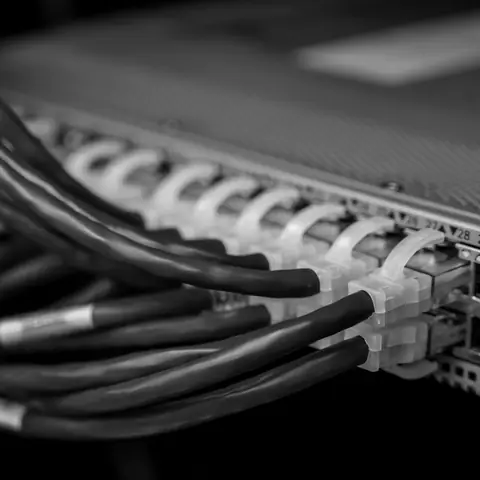
Two to four nodes, placed room by room after a walk-through, not one in the living room and hope.
From S$480 installed
Flush, white, out of reach of kids and cats. Each one runs on a single Cat6 cable.
From S$1,680 for two

New Cat6 points for the TV, the study and the console. Trunking painted to your wall, MCST paperwork handled.
From S$120 a point

Staff, guests, POS and cameras on separate networks, with a firewall. Installed after hours.
From S$1,480 · Office kits in the finder
Cameras on their own PoE network, so recordings never slow your Wi-Fi. Every job has 12 months' workmanship warranty.
From S$680
Prices include the hardware from makers we've tested in Singapore homes, installation, set-up and 9% GST. Your quote names the exact model.
A dual-band Wi-Fi 6 router, placed and tuned properly. Enough for a 3-room flat with a few phones and a TV.
Wi-Fi 6 · 1 unit · 25 devices · 1G ports
S$260 installedabout 1 h
Tri-band Wi-Fi 7 in one tower, with a 2.5G port so a 2 Gbps plan isn't capped. Best in compact flats.
Wi-Fi 7 · 1 unit · 50 devices · 2.5G port
S$520 installedabout 1 h
A Wi-Fi 7 gaming router with game-traffic priority and a 10G port, plus one node for the far bedroom.
Wi-Fi 7 · 2 units · 80 devices · 10G port
S$1,190 installedabout 2 h
Two Wi-Fi 6 mesh nodes: one at the fibre point, one at the corridor junction, clear of the shelter.
Wi-Fi 6 · 2 nodes · 40 devices · Wireless
S$480 installedabout 1.5 h
Three Wi-Fi 6 nodes, so the bedroom behind the shelter wall gets its own. No cables needed.
Wi-Fi 6 · 3 nodes · 60 devices · Wireless
S$650 installedabout 2 h
The same three nodes joined by Cat6, through your LAN points or new trunking. Full speed in every room.
Wi-Fi 6 · 3 nodes · 80 devices · Wired backhaul
S$790 installedabout 2.5 h
Two tri-band Wi-Fi 7 nodes with their own band between them and 2.5G ports. Ready for a 2 Gbps plan.
Wi-Fi 7 · 2 nodes · 100 devices · 2.5G ports
S$920 installedabout 1.5 h
Three Wi-Fi 7 nodes and a 10G main port. Covers 5-room flats, big condos and 2-storey homes without a cable.
Wi-Fi 7 · 3 nodes · 150 devices · 10G port
S$1,340 installedabout 2 h
Wi-Fi 7 mesh on a Cat6 backbone, two new LAN runs included. The setup we put in our own homes.
Wi-Fi 7 · 3 nodes · 200 devices · Wired, 10G
S$1,780 installedabout 4 h
Three indoor Wi-Fi 7 nodes, one per floor, plus a weatherproof unit for the porch or garden. Wired throughout.
Wi-Fi 7 · 4 nodes · 250 devices · Outdoor unit
S$2,460 installedabout 6 h
Two flush ceiling access points, an 8-port PoE switch and the Cat6 runs. Clean, out of reach, very fast.
Wi-Fi 7 · 2 APs · 250 devices · PoE switch
S$1,680 installedabout 5 h
Three ceiling access points, one per floor or zone, on a PoE switch. Phones roam between them without a blip.
Wi-Fi 7 · 3 APs · 350 devices · PoE switch
S$2,380 installedabout 7 h
Four access points for 4-storey homes and busy offices, with a 10G uplink and a tidy network cabinet.
Wi-Fi 7 · 4 APs · 500 devices · 10G uplink
S$3,080 installedabout 1.5 days
A business gateway and one ceiling AP, with staff, guest and POS on separate networks. For shops and clinics.
Wi-Fi 6 · 1 AP · 60 devices · Guest Wi-Fi
S$1,480 installedabout 4 h
Firewall, 16-port PoE switch and two ceiling APs for up to 20 staff. Staff, guest and CCTV networks kept apart.
Wi-Fi 7 · 2 APs · 120 devices · Firewall
S$3,280 installedabout 1 day
Four APs, a 24-port PoE switch and a wall rack with firewall for up to 40 staff. Installed after hours.
Wi-Fi 7 · 4 APs · 300 devices · Wall rack
S$5,980 installedabout 2 days
IP67 weatherproof access point for the garden, porch, roof terrace or shopfront. Runs on one Cat6 cable.
IP67 · PoE · about 2 h
from S$640
A PoE switch and a separate camera network for up to 8 cameras, so recordings never slow your Wi-Fi.
8 cameras · PoE · about 3 h
from S$680
One new Cat6 point for a TV, desk or console: terminated, labelled and tested. Price per point.
Cat6 · Tested · per point
from S$120
Slim PVC trunking along the skirting or ceiling line, painted to your wall colour. Per run up to 3 m.
PVC · Painted · per 3 m
from S$60
A phone speed test in the problem room at 9pm, before we start and after we finish. Recent jobs:
| Month | Home | Problem room | Before | After | What we fitted |
|---|---|---|---|---|---|
| Sep 2026 | Tampines, HDB 5-room | Study, behind the shelter | 38 Mbps | 640 Mbps | Mesh 7 Trio, 2 hours |
| Bishan, condo | Master bedroom | 61 Mbps | 780 Mbps | Mesh 7 Duo and one LAN point | |
| Ubi, 18-person office | Meeting room calls | drops | 710 Mbps | Office Kit 20, after hours | |
| Aug 2026 | Punggol, HDB 4-room | Bedroom 3 | 12 Mbps | 590 Mbps | Mesh 6 Trio, 90 minutes |
| Bukit Timah, 3-storey terrace | Attic and gate camera | none | 710 Mbps | Ceiling AP ×3 and an outdoor AP, 1 day | |
| Jurong West, HDB 5-room | Bedroom behind the shelter | 9 Mbps | 520 Mbps | Mesh 6 Trio, wired through trunking | |
| Jul 2026 | Serangoon, HDB 3-room | Bedroom 2 | 44 Mbps | 610 Mbps | Mesh 6 Duo, 1 hour |
| Joo Chiat, shophouse café | Card terminal at the back | drops | steady | Shopfront Kit, before opening | |

"The study is behind the shelter. Two hours later I was taking client calls in it."
"Our MCST wanted every trunking run approved. They sent the drawings and photos and handled it."
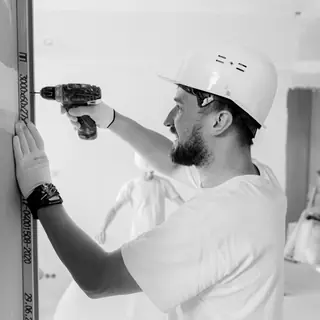 Daryl Tan and Nur Aisyah started Roomreach in 2015, after a year of the same phone call: the Wi-Fi works in the living room but not in the bedroom. They stopped selling extenders and started drawing flats room by room, shelter wall included.
Today nine of us install about 40 networks a week from a workshop off Paya Lebar Road. Wei Ming Lee looks after offices and CCTV. Every job ends the same way: a reading from every room, on your phone, that evening.
Your household shelter has 200 to 300 mm of reinforced concrete and a steel door, and Wi-Fi loses most of its strength crossing it. A router at the fibre point can't reach the rooms behind it, and an extender only repeats the one bar it gets. A node or ceiling access point on the far side, ideally wired back, fixes it.
Mesh suits most HDB flats and condos: two or three nodes, no drilling, installed in about two hours. Ceiling access points suit landed homes, large condos and offices: each one gets its own Cat6 cable, so speed holds on every floor. The finder on this page weighs your home, devices and cabling to choose.
Yes. We work with any Singapore fibre provider and any plan, from 1 Gbps to 10 Gbps. We connect to the modem at your fibre termination point, keep your provider's settings and never change your plan or contract. For 2 Gbps and 10 Gbps plans we fit routers with 2.5G or 10G ports.
Usually, yes. Most MCSTs allow slim surface trunking inside your unit, and some ask for a renovation permit and approved working hours. We prepare the drawings and photos, follow the house rules and paint the trunking to match your walls. If cables aren't allowed, we use wireless-backhaul mesh instead.
Most HDB mesh installs take one to two hours. Wired mesh and ceiling access points with new Cat6 runs take half a day to a full day. Offices are done after hours or over a weekend. We speed-test every room before we leave and send you the readings the same evening.
Yes. Every price on this page includes 9% GST, the hardware, installation, configuration and a 12-month workmanship warranty. The finder shows an estimate for your home type, and we confirm one fixed price in writing after a free site check, before any work starts.
Tell us where the Wi-Fi drops. We reply with a price, usually within the hour.