Your brand on every reply.
Our engineers behind it.
Your customers ask for changes in a portal with your logo. Our engineers do the work from the HeySheep Care Desk. Every answer arrives signed by your engineering team, so your customers never see us.
One request, start to finish.
The customer and your staff stay on your side of the line. Our engineers work on the other side and reply through it, under your team's name.
Your customer
Redline Auto Works asks for a change from a phone: text, photos, a file.
Signs in to your portal with a one-time email link
PacX Website Care
Your logo, your colours, your domain. The customer talks to “PacX Engineering Team”.
Your staff console sees every request, status and SLAHeySheep Care Desk
Our engineers pick it up with the SLA clock, the site's history and private notes.
All partners in one queue, Singapore teamSame request. Two very different views.
Screenshots from the live demo below, request PX-1003. The customer sees a simple conversation with PacX. Our engineer sees everything needed to do the job well.
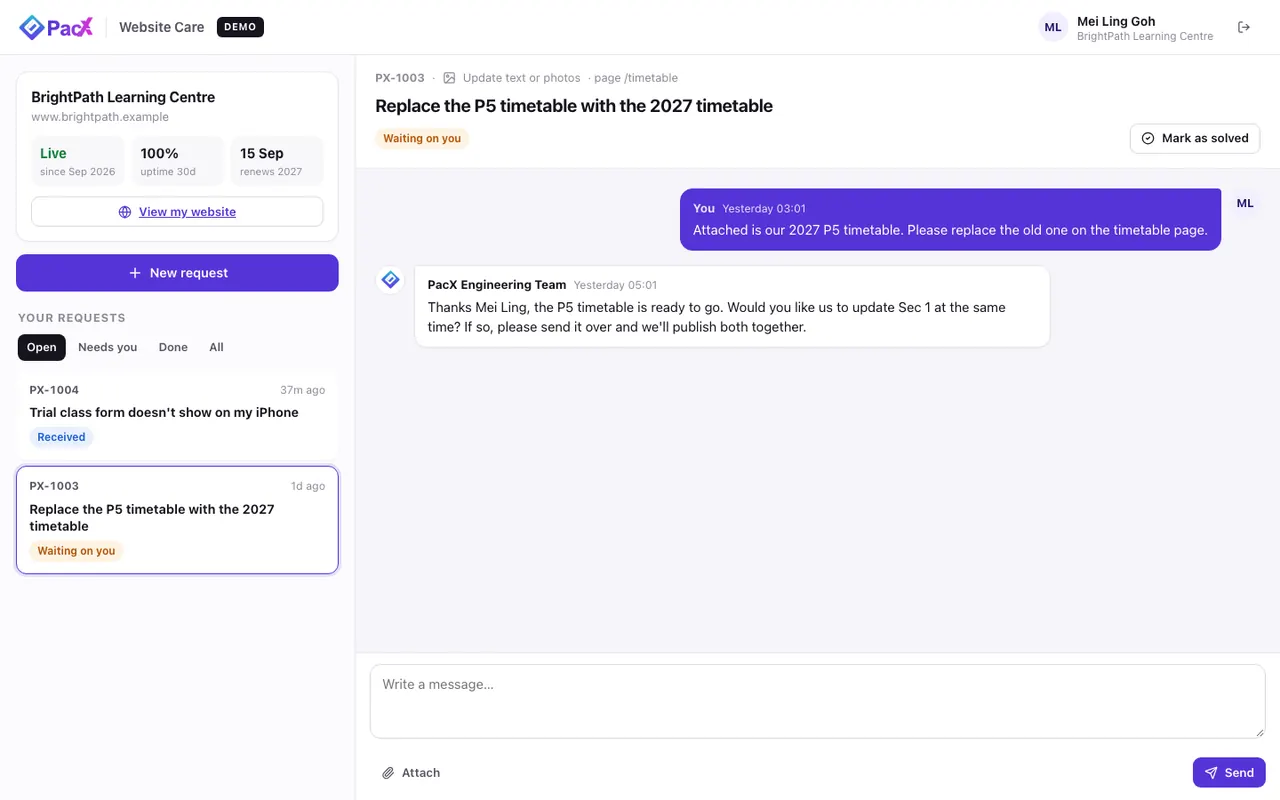
CustomerWhat Mei Ling sees
- PacX logo and colours, nothing else
- Replies from “PacX Engineering Team”
- Status in plain words, and when to expect the reply
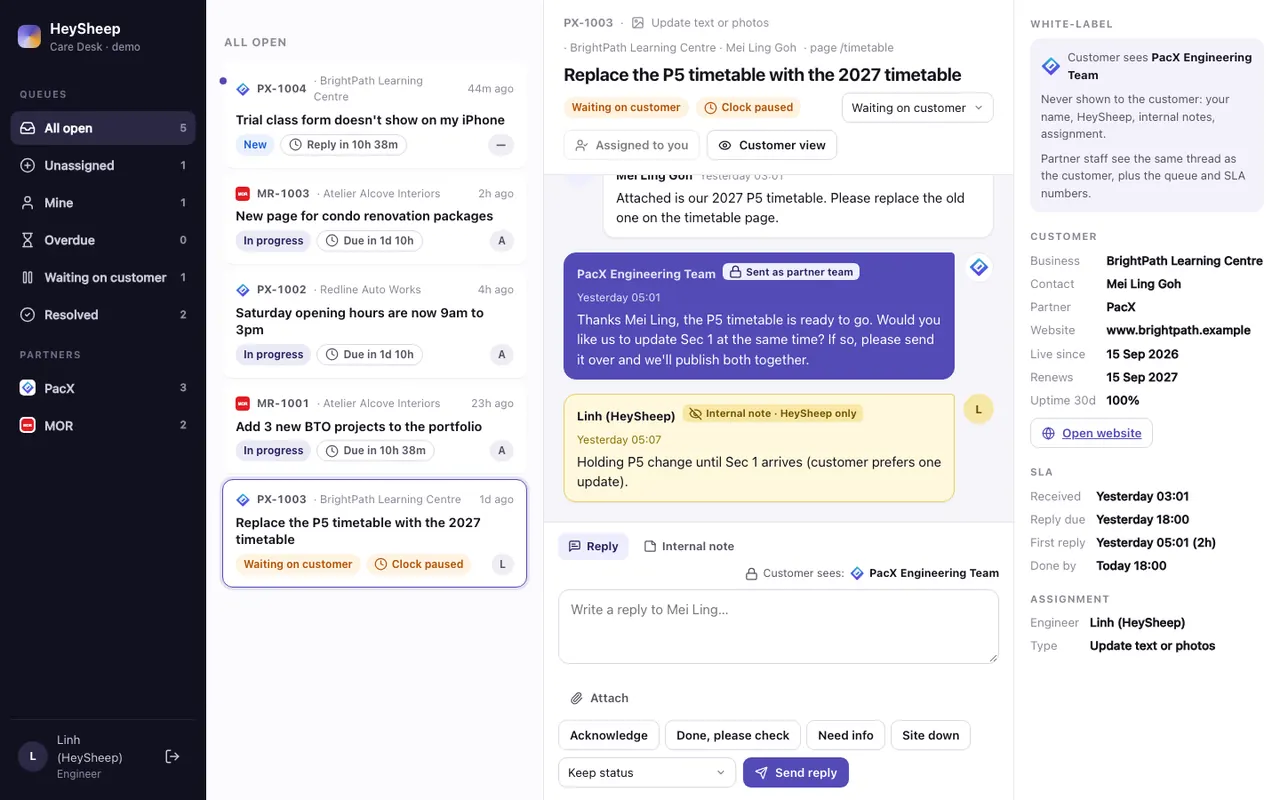
HeySheepWhat our engineer sees
- All partners' requests in one queue, with SLA clocks
- The reply box says who the customer will see
- Yellow internal notes that never leave the desk
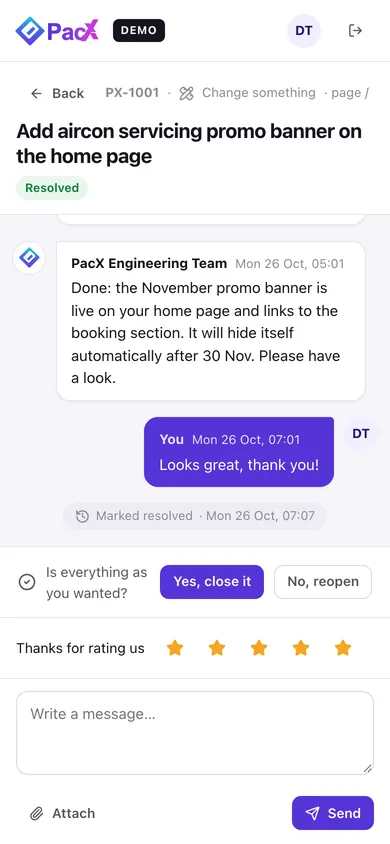
CustomerOn a phone
Resolved requests ask “Is everything as you wanted?” and for a rating.
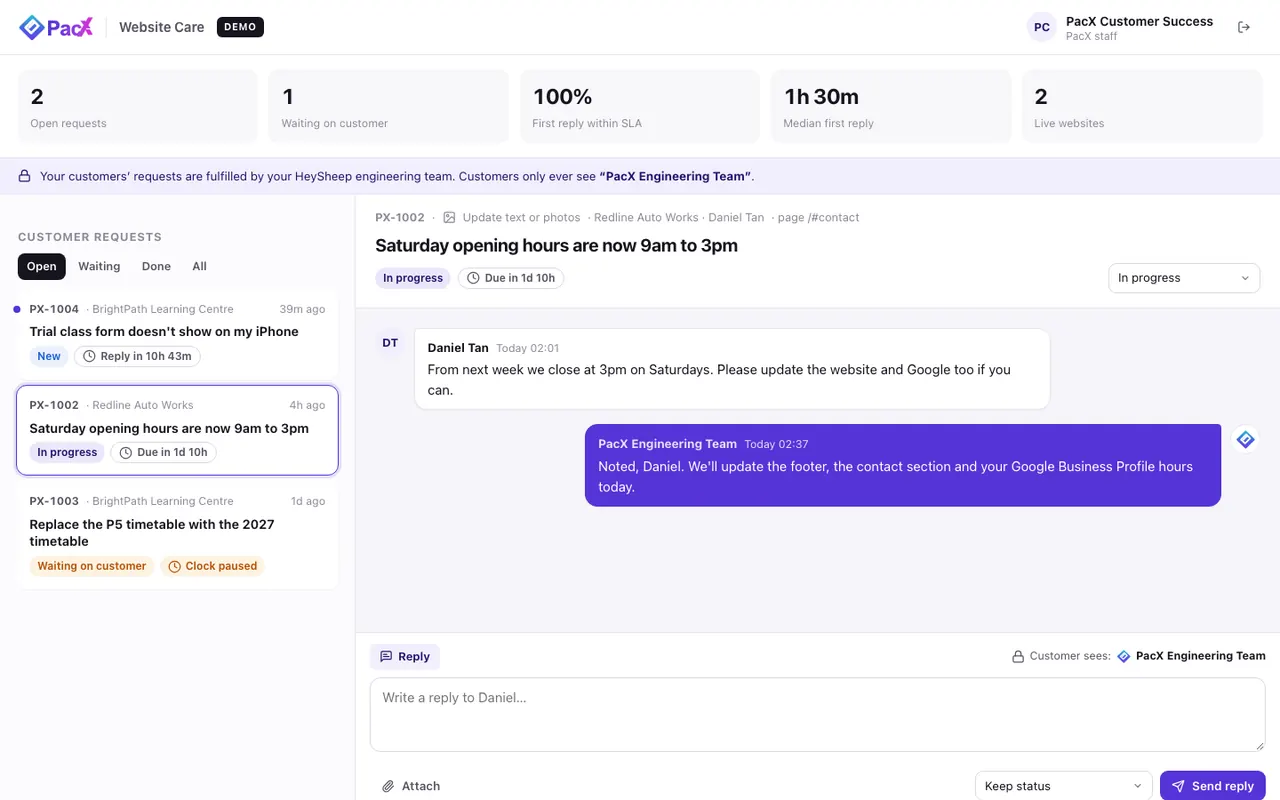
PartnerYour staff console
Open requests, replies within SLA, median first reply and live sites. Your staff can reply too, also as the team.
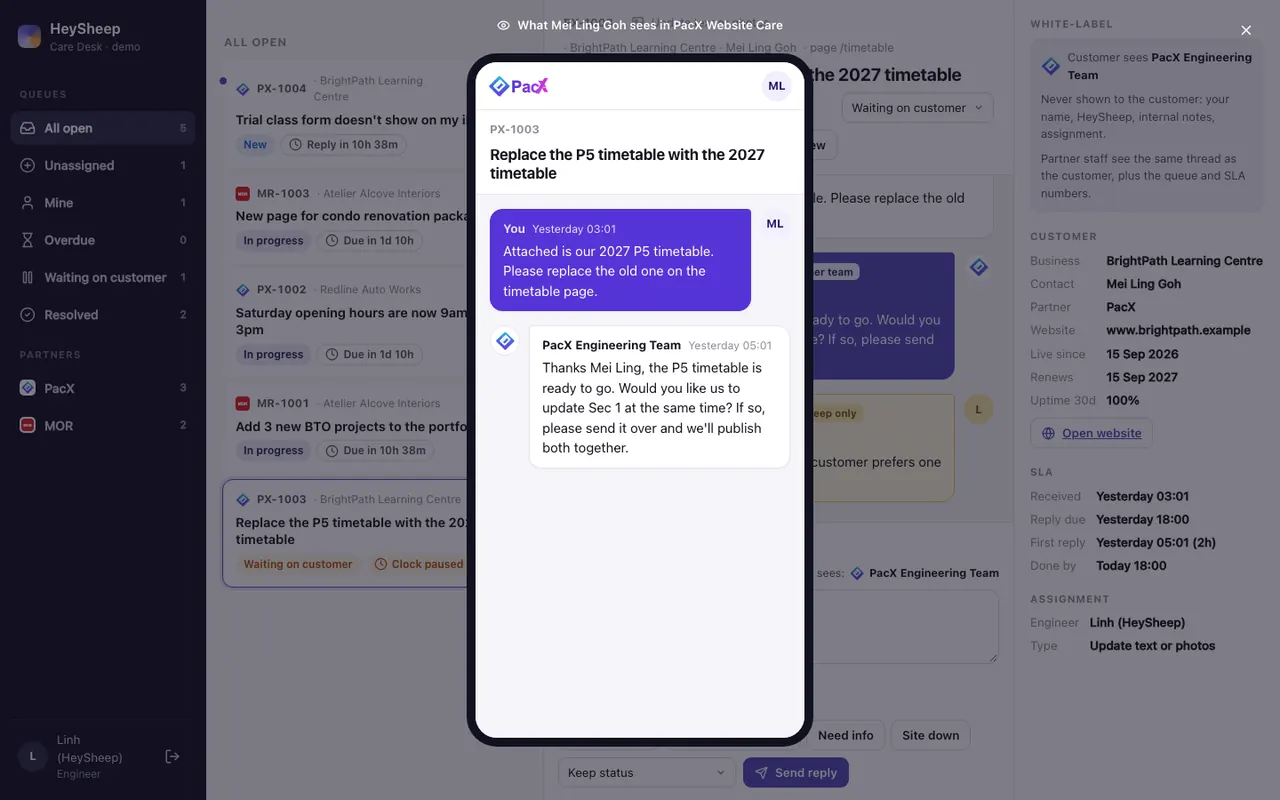
HeySheep“Customer view” button
One click shows the engineer exactly what the customer sees, before and after replying.
The customer never sees past your brand.
Three kinds of account, three views of the same data.
| Information | Customer | Your staff | HeySheep |
|---|---|---|---|
| The customer's own requests, files and replies | Yes | Yes | Yes |
| Replies, always signed “PacX Engineering Team” | Yes | Yes | Yes |
| Promised reply and finish times | Yes | Yes | Yes |
| Every request from the partner's other customers | No | Yes | Yes |
| Another partner's customers | No | No | Yes |
| The engineer's name | No | No | Yes |
| The name HeySheep | No | partner knows | Yes |
| Internal notes and who is assigned | No | No | Yes |
Every request has a clock.
The same promises as the proposal and the agreement. Customers see the date we promised; your staff and our engineers see the countdown.
We have it. The reply clock starts.
An engineer is on it.
We asked a question. The clock pauses.
Done and live. The customer checks it.
Confirmed, with a 1–5 star rating.
Website down
Monitored 24/7, response within 1 hour.
Change request
Acknowledged within 1 business day, done within 2 business days.
Larger change (new section, redesign)
Plan agreed within 2 business days.
Business hours
Monday to Friday, 9:00 to 18:00 Singapore time, excluding public holidays.
Try it yourself, in two windows.
One click signs you in as a demo account. Customers and data are fictional and reset regularly.
PacX customer portal
Daniel TanCustomer · Redline Auto WorksMei Ling GohCustomer · BrightPath Learning CentrePacX Customer SuccessPacX staff console MOR vendor portal
The two-minute walkthrough
- Open Daniel Tan on your phone and the HeySheep Care Desk as Linh on your laptop.
- As Daniel, tap New request, pick “Update text or photos”, attach a photo, send.
- It appears in the desk straight away, with its SLA clock running.
- As Linh, reply and set it to Resolved. Add an internal note too.
- Daniel's phone shows the reply from PacX Engineering Team. No HeySheep, no Linh, no note.
- Open PacX Customer Success to see the same request from your staff console.
A working system today. A few steps before the first real order.
Working now
- Customer portal, your staff console and the HeySheep desk, live
- Real-time updates on every screen
- Photos and PDFs attached to requests
- SLA clocks matching the agreement, ratings, internal notes
- White-label enforced by database security rules
- Data stored in Singapore (Google Cloud asia-southeast1)
Before the first real customer
- Sign-in by one-time email link, invitations sent from the order form
- Email notifications sent from your support address
- The portal on your own domain (for example a support subdomain of yours)
- Public holidays in the SLA calendar
- Large files (video, design files) through cloud storage
- Uptime monitor opens a “website down” request automatically